It's Tuesday release day! Here's what's new in PostBeagle

Happy Tuesday! With the holiday rush around the corner, this week is about sales, seasons and sending from the right address. The beagle has been practicing its "ho ho ho." It's mostly a howl.
Sale prices that show up on their own
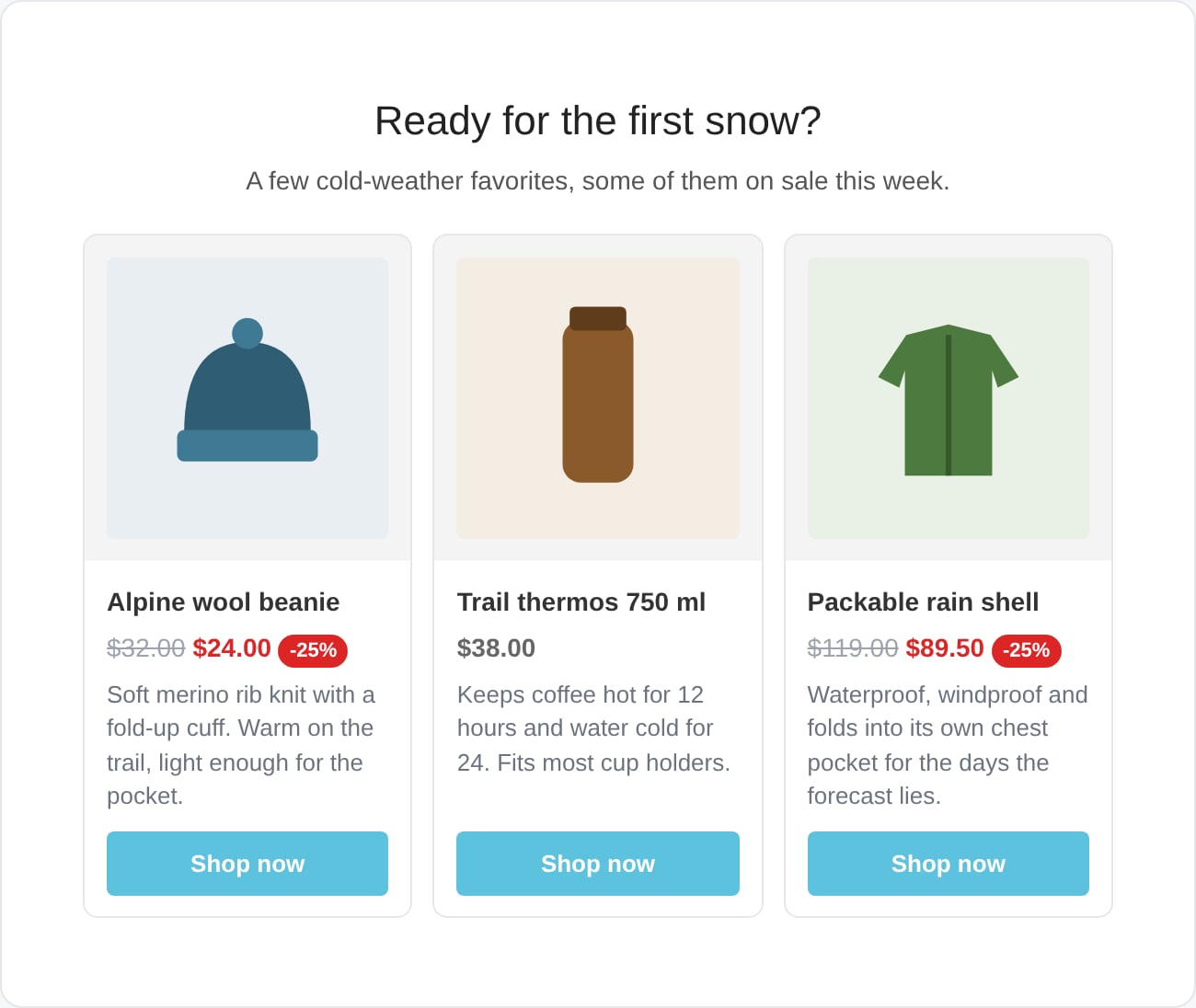
When a product in your WooCommerce store is on sale, the product block in your emails now says so. The original price is struck through, the sale price sits next to it in red, and a little badge shows the discount, like -25%. Both are on by default, and you can switch them off or change their colors under Show sale prices and Show discount badge in the block's settings.
Product blocks can also show the product's short description from your store now. Turn on Show description, pick how many characters to keep, and longer descriptions get trimmed neatly at a word. It's off by default, so your existing emails look exactly as they did.
Each brand kit gets its own sender and footer
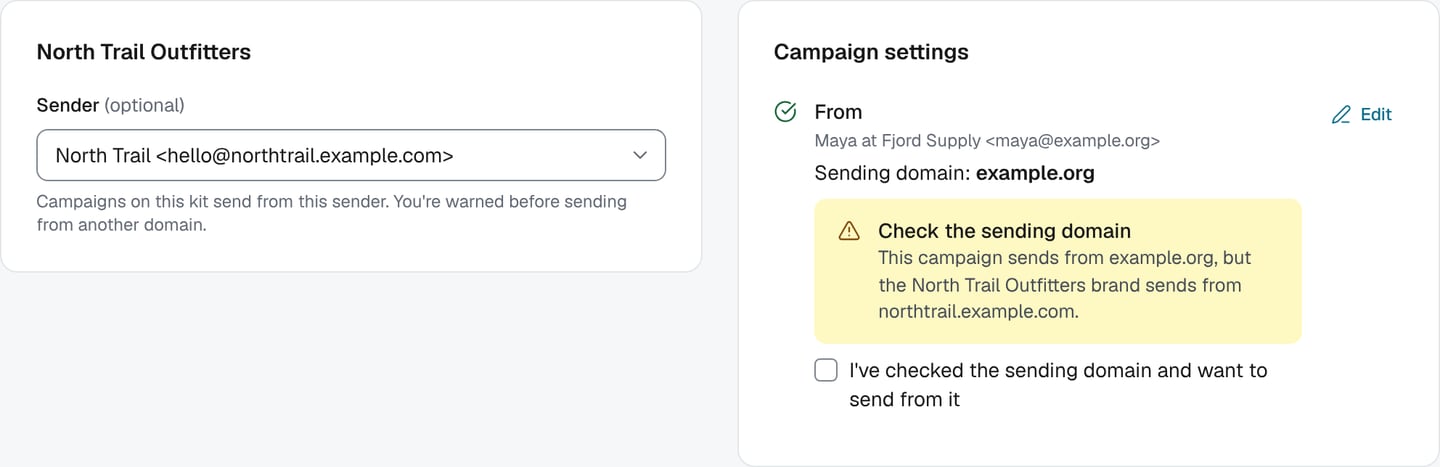
If you run more than one brand, PostBeagle now keeps track of which address each one sends from. Open a kit under Settings → Brand kits and pick its Sender. When you create a campaign, a new Brand picker in the first step fills in that kit's sender for you. If you've already chosen a sender yourself, it stays put.
And if a campaign is about to go out from a different domain than its brand normally uses, the review step points it out and asks you to tick a box before you send. Think of it as a friendly tap on the shoulder, not a locked door.
Kits can have their own footer, too. Style a footer in the email builder, choose Save as kit footer, and new footer blocks in that kit's emails start from it.
49 landing page templates, including a holiday set
The landing page collection grew from 31 to 49. There's a new Seasonal and holidays group with pages for Black Friday, Christmas, New Year, Valentine's Day, Mother's Day and Halloween, ready for early-access lists and pre-orders. Twelve more joined the other groups, from an ebook download and a back-in-stock alert to a wedding RSVP and a spa and salon page.
Like the rest, every template is made of normal blocks you can change. Take a look at the seasonal and holiday templates.
And a few small things
- AI assistants connected to PostBeagle can now restyle blocks when you ask ("make the button red with rounded corners") and change the email's background color. Here's what they can change.
- A round of fixes made landing pages, bounce handling and the view-in-browser page more reliable.
That's the week! Go put something on sale, and we'll see you next Tuesday.