How to Send 50,000 Emails in 5 Minutes Safely

Sending 50,000 emails in 5 minutes sounds reckless. And it can be—if you don't know what you're doing. But with the right infrastructure, strategy, and safeguards, it's not only possible but perfectly safe for your sender reputation.
This guide explores high-speed email sending. We'll cover the infrastructure requirements, rate limiting strategies, error handling, and monitoring you need to send at extreme speeds without ending up in spam folders.
The Challenge: Speed vs. Safety
Sending emails quickly is easy. Sending them quickly and safely is hard.
If you try to blast 50,000 emails instantly through a standard email server, two things will happen:
- You'll get blocked: Internet Service Providers (ISPs) like Gmail and Outlook will see the sudden spike in traffic as an attack or spam.
- Your reputation will crash: Your "sender score" will plummet, causing future emails to go straight to spam.
Can You Actually Do This Safely?
Short answer: Yes, but only if you meet specific conditions.
You can send this fast if:
- ✅ You have a warmed-up dedicated IP address (or multiple IPs)
- ✅ Your list is clean and engaged (low bounce rate, few complaints)
- ✅ You have proper authentication (SPF, DKIM, DMARC)
- ✅ You're using intelligent throttling (sending at the right speed for each provider)
- ✅ You have real-time monitoring to stop if things go wrong
You should NOT send this fast if:
- ❌ You're using a new or shared IP
- ❌ Your list quality is questionable
- ❌ You haven't sent at high volumes before
- ❌ You're sending to cold or purchased lists
Infrastructure Requirements
1. Dedicated IP Addresses
For 50,000 emails in 5 minutes, you need a dedicated IP address. This means you aren't sharing your sending reputation with other companies.
Ideally, you should have multiple IPs to spread the load. And crucially, these IPs must be "warmed up"—meaning you've gradually increased your sending volume over weeks so ISPs recognize and trust you.
2. Robust Sending Infrastructure
You need a system that can handle thousands of simultaneous connections without crashing. This isn't something a standard web server can usually handle on its own. It requires specialized software designed for high-throughput messaging.
3. Perfect DNS Configuration
Your domain's "identity cards" (DNS records) must be in perfect order. This includes SPF, DKIM, and DMARC records that prove you are who you say you are. Without these, your emails will be rejected immediately at high speeds.
The Critical Component: Intelligent Rate Limiting
This is where most high-speed sending fails. You can't just blast emails to Gmail at maximum speed and expect good results.
Per-Domain Rate Limiting
Different ISPs have different rules. Gmail might accept 10,000 emails an hour from a trusted sender, while a smaller corporate server might only accept 100.
A smart sending system knows these limits. It sorts your emails by destination (Gmail, Outlook, Yahoo, etc.) and sends to each group at the maximum safe speed for that specific provider.
Dynamic Rate Adjustment
The best systems listen to feedback. If Gmail starts slowing down responses or sending temporary error messages, the system should automatically slow down sending to Gmail to avoid getting blocked.
Error Handling and Retry Logic
At high speeds, errors will happen. Your system must handle them gracefully.
Categorize Errors
Not all errors are the same:
- Soft Bounces: Temporary issues (mailbox full, server busy). These can be retried later.
- Hard Bounces: Permanent issues (email doesn't exist). These should never be retried.
- Spam Blocks: The ISP is blocking you. Stop sending immediately to avoid further damage.
Circuit Breaker Pattern
A "circuit breaker" is a safety mechanism. If the error rate gets too high (e.g., more than 5% of emails are bouncing), the circuit breaker "trips" and stops all sending. This prevents a small problem from becoming a disaster that ruins your reputation.
Real-Time Monitoring
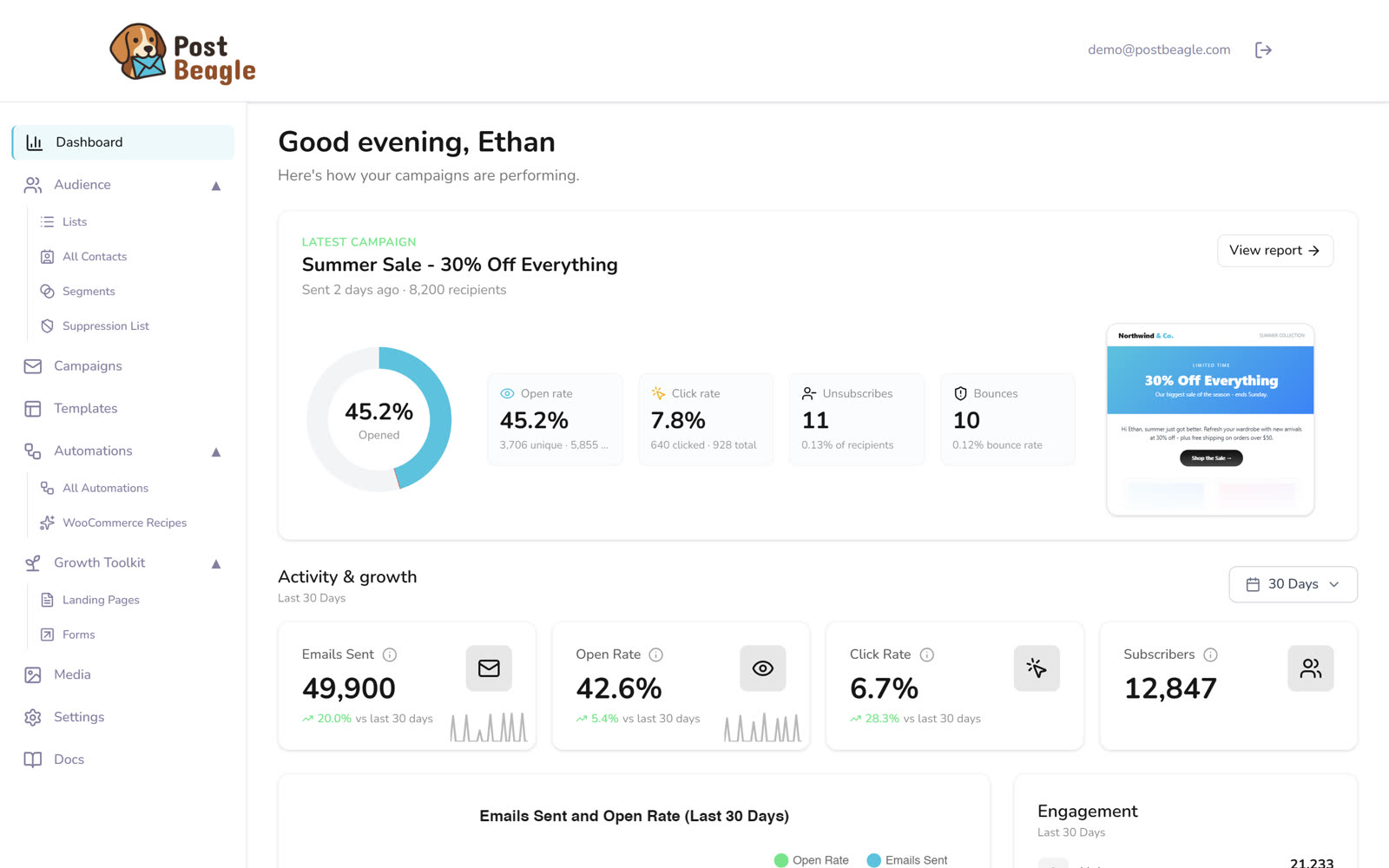
Volume is only half the picture — watch the open, bounce and complaint rates alongside it, or you will not notice a send going wrong until it already has.
You need visibility into what's happening at every moment. You can't wait until the campaign is over to see if it worked.
Key Metrics to Track
- Throughput: How many emails are leaving per second?
- Bounce Rate: Are emails getting rejected?
- Error Rates: Are we seeing connection errors or timeouts?
- Queue Depth: Are emails piling up faster than they can be sent?
Alert Thresholds
Set up alerts to wake you up if:
- Bounce rate exceeds 5%
- Sending speed drops unexpectedly
- The "circuit breaker" trips
The Postbeagle Approach
Here's how Postbeagle handles 50,000 emails in 5 minutes:
1. Automatic Domain Segmentation
We automatically sort your list by recipient domain (Gmail, Yahoo, etc.) so we can apply the right rules to each group.
2. Intelligent Queue Management
We prioritize emails based on engagement. Your most active subscribers get their emails first, which signals to ISPs that your campaign is wanted.
3. Real-Time Feedback Processing
We process bounces and complaints instantly. If someone marks an email as spam, we immediately stop sending to them and adjust our sending speed if necessary.
Step-by-Step: Sending Your First 50K in 5 Minutes
Prerequisites Checklist
- Dedicated IP warmed up for 4+ weeks
- SPF, DKIM, DMARC configured and verified
- List cleaned (bounce rate < 2%)
- Engagement rate > 15% on recent sends
- Monitoring and alerting configured
Common Pitfalls and How to Avoid Them
Pitfall 1: Ignoring Recipient Domain Distribution
Problem: Sending 30,000 emails to Gmail in 2 minutes. Solution: Respect per-domain limits. Spread Gmail sends over 15-30 minutes if necessary.
Pitfall 2: No "Backpressure" Handling
Problem: Your system tries to send faster than the internet can handle, causing crashes. Solution: Implement limits on how many emails can be "in flight" at once.
Pitfall 3: Treating All Errors the Same
Problem: Retrying hard bounces (invalid emails) repeatedly. Solution: Only retry temporary errors. Remove hard bounces immediately.
Pitfall 4: No Monitoring Until It's Too Late
Problem: Deliverability tanks before you notice. Solution: Watch real-time dashboards.
Conclusion
Sending 50,000 emails in 5 minutes is absolutely possible—but it requires:
- Proper infrastructure: Warmed IPs and solid DNS
- Intelligent rate limiting: Knowing how fast to send to each provider
- Sophisticated error handling: Knowing when to retry and when to stop
- Real-time monitoring: Watching every second of the send
- Clean lists: Garbage in, garbage out—list quality is non-negotiable
With Postbeagle, all of this is handled for you. Our infrastructure is built specifically for high-speed, high-volume sending with automatic rate limiting, error handling, and monitoring built in.
Ready to send at scale? Try Postbeagle free and experience enterprise-grade email infrastructure without the complexity.
Have questions about high-volume sending? Our engineering team is here to help—reach out anytime.