It's Tuesday release day! Here's what's new in PostBeagle

Happy Tuesday! The beagle spent the week sniffing out who your customers are and where their carts wandered off to. Here's what it found.
Segments that read like sentences
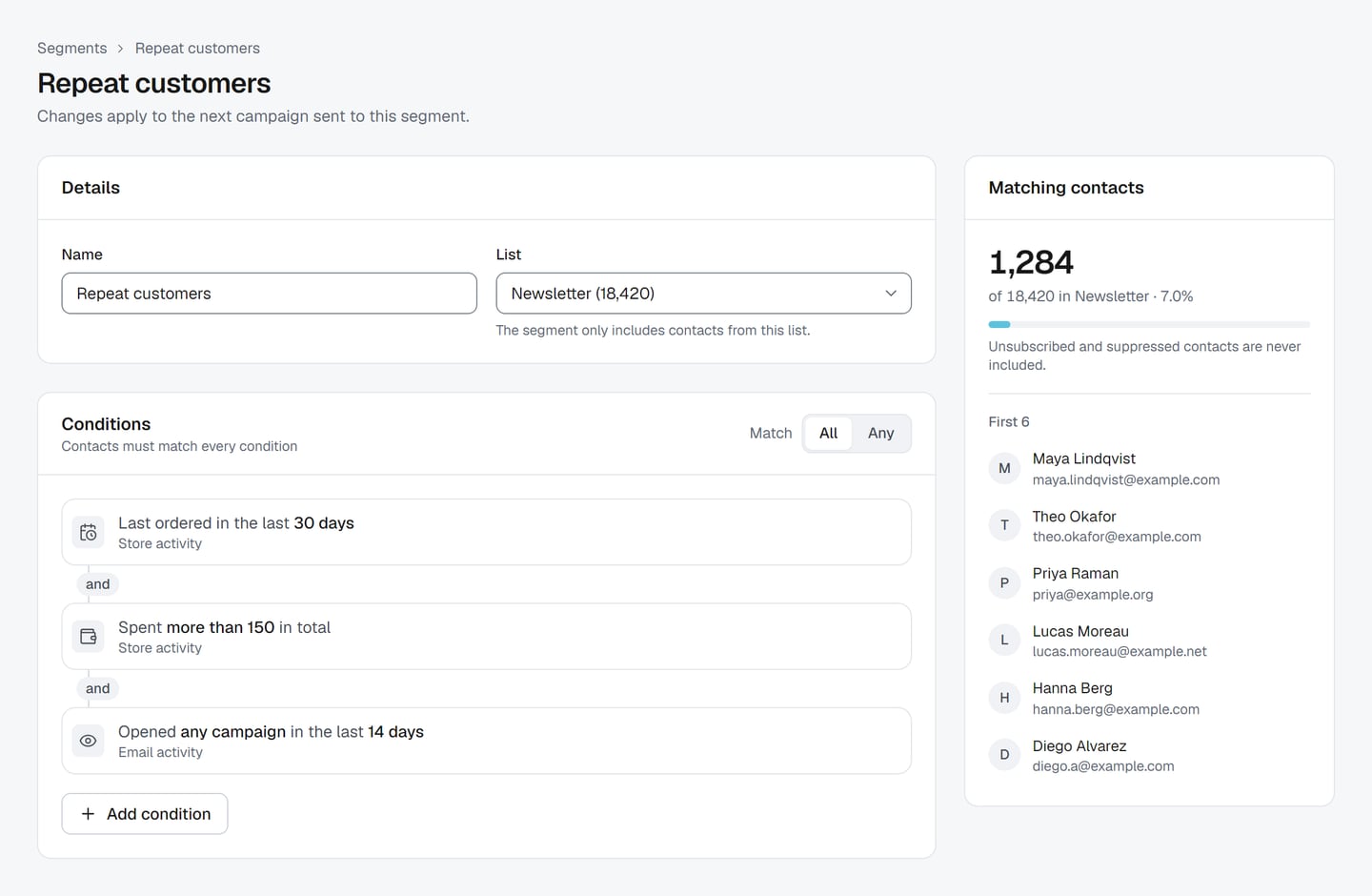
We rebuilt the segment builder from the ground up. Your conditions now sit in one list, and each one reads like a plain sentence, so "Last ordered in the last 30 days" means exactly what it says. Click a condition to edit it right where it is.
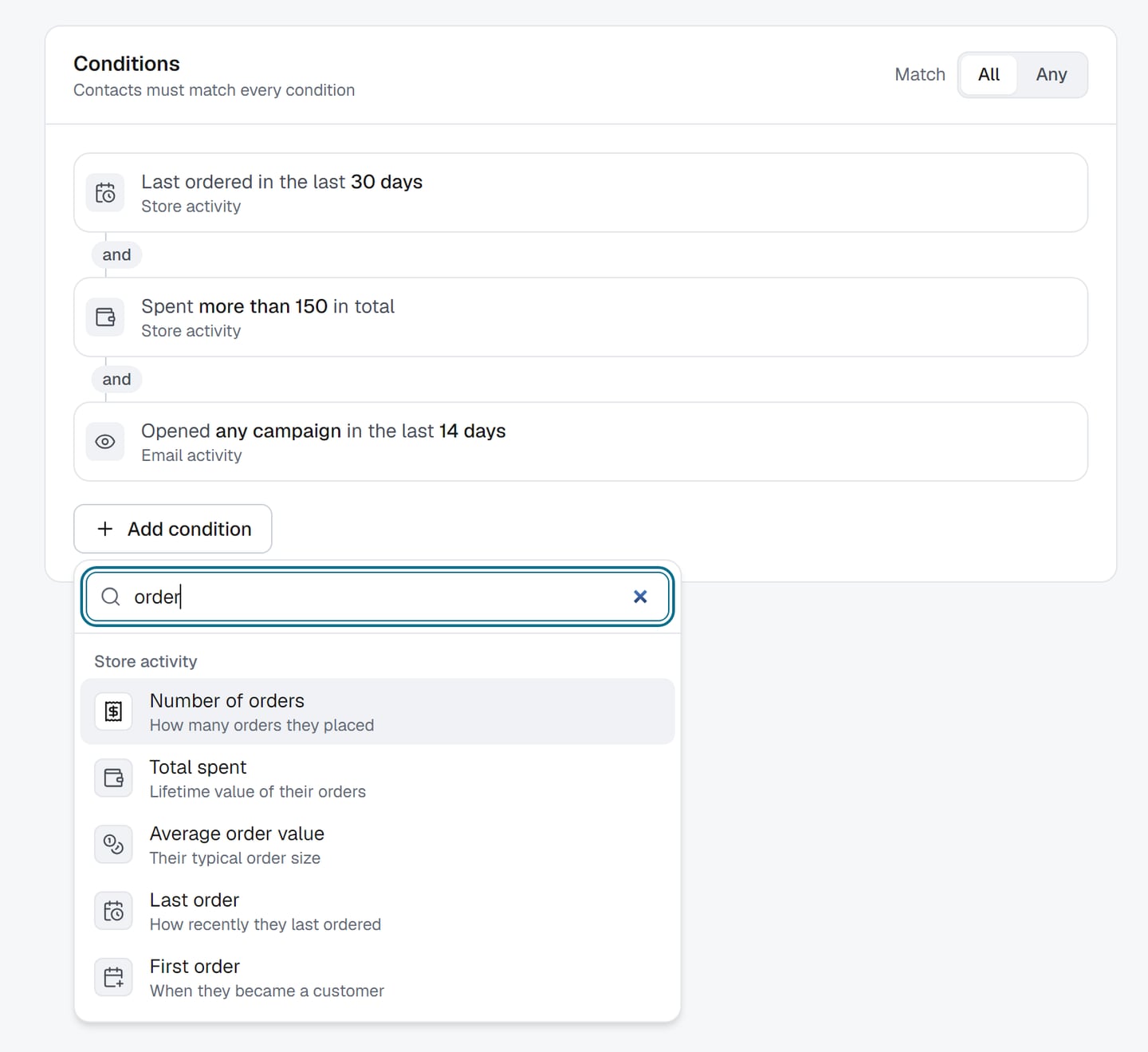
Adding one is easier too. Hit Add condition and pick from a searchable list grouped into contact details, status and consent, email activity and store activity. Type "orders" or "opened" and it finds what you mean. Store conditions like total spent, average order value and bought a product now live in the same list as everything else, instead of off in their own corner.
While you build, the preview keeps up with you. It counts who matches as you edit, shows what share of your list that is, and gives you a few sample contacts so you can check you're getting the people you think you are. Ctrl/Cmd+S saves, and if you try to leave with unsaved changes, PostBeagle asks first. We've all been there.
See every abandoned cart, right in WooCommerce
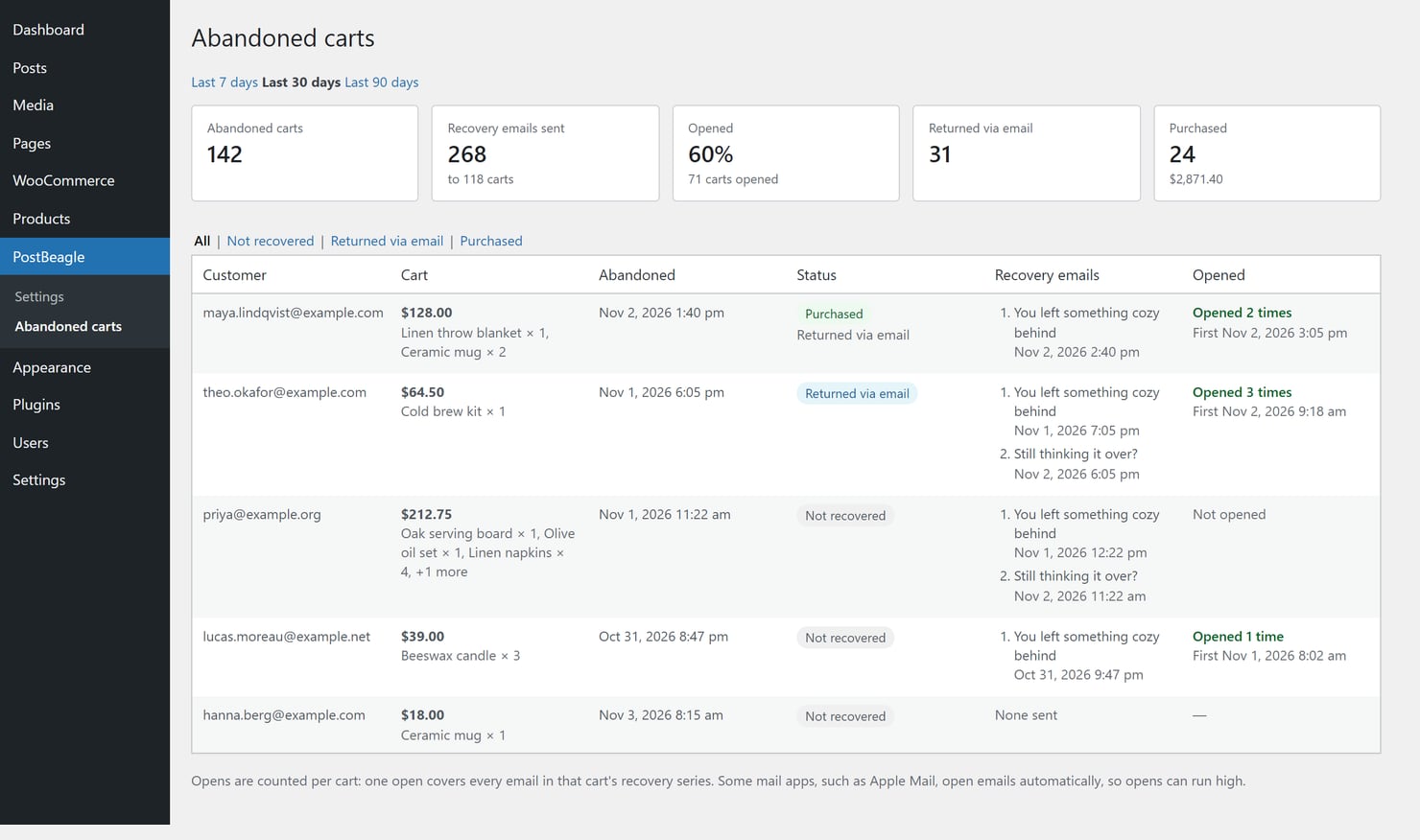
Abandoned cart emails are great, but until now you had to take our word that they were doing something. Update the PostBeagle plugin to 1.10.0 and you'll find a new PostBeagle → Abandoned carts page in your WordPress admin.
It lists the carts abandoned in the last 7, 30 or 90 days, with what was in them and what they were worth. For each cart you can see the recovery emails PostBeagle sent, whether they were opened, and whether the shopper came back through the email or went all the way to checkout. Filter by status, and read the summary at the top for the period at a glance: carts, recovery emails sent, opens, returns and purchases. Think of it as the lost-and-found for shopping carts, with a little note on each one saying who came back for it.
New to the plugin? Here's how to set up PostBeagle for WooCommerce.
And a few small things
- In the segments list, clicking a row opens the segment, and the other actions moved into a menu at the end of the row.
- When someone opens an email in their browser, the tab now shows your subject line instead of a generic title.
- Our free email templates now have their own gallery at postbeagle.com/email-templates, so you can browse them before you even sign up.
- A round of fixes made A/B test editing, view-in-browser links and link tracking more reliable.
That's it for this week. Happy sending, and see you next Tuesday!